How to assess cellular connectivity for 4G solar security cameras?
- 1) How do I accurately measure LTE signal quality at the exact 360 camera mounting point (pole/roof) — and convert those readings into expected streaming reliability?
- 2) What LTE bands and carrier features should I verify so a 4G solar 360 camera keeps stable live streaming and low latency (carrier aggregation, MIMO, VoLTE etc.)?
- 3) How do I correctly size the solar panel and battery for a 4G 360 PTZ or fisheye camera, including realistic autonomy calculations for low-sun periods?
- 4) Which SIM/data plan and APN settings minimize disconnections, latency, and unpredictable overages for a 4G solar security camera?
- 5) How can I test and mitigate coverage blackspots, network interference, or carrier throttling at a remote site without repeated site visits?
- 6) How do I validate OTA firmware updates, AI model downloads and recovery mechanisms over cellular so devices remain secure and online after an update?
1) How do I accurately measure LTE signal quality at the exact 360 camera mounting point (pole/roof) — and convert those readings into expected streaming reliability?
Measure signal where the camera will live, not from street level or with a random phone. Steps:
- Use the same modem/CPE or a phone configured to the carrier and LTE band the camera supports. If the camera has a detachable modem or external antenna port, test with the actual modem or a USB LTE modem and the same SIM.
- Collect radio metrics: RSRP, RSRQ, RSSI and SINR. On Android use a field-test app (LTE Discovery, Network Signal Guru) or ##4636## (varies by device). On iPhone use Field Test Mode (3001#12345#). Many commercial 4G routers/USB modems expose these metrics in their status pages.
- Interpret the metrics (industry guidance): RSRP > -80 dBm = excellent; -80 to -90 dBm = good; -90 to -100 dBm = marginal; < -100 dBm = poor. SINR > +15 dB = good; 0–10 dB = marginal; < 0 dB = unreliable. These thresholds predict throughput and packet loss risk — the higher the RSRP/SINR the more reliable continuous or high-bitrate streaming will be.
- Run practical tests at the mount: perform repeated speedtests (Ookla/OpenSignal) over several hours including night and peak-use times. Speed, jitter, and packet loss are as important as peak Mbps for live 360 streaming. Capture 30–60 second samples and average them.
- Translate to streaming reliability: for H.264/H.265 1080p live stitched 360-degree streams, expect 1–4 Mbps sustained bandwidth requirement depending on codec and motion. If median uplink measured at the mount is >2.5× the target stream bitrate with SINR > 10 dB and RSRP > -90 dBm, reliability is likely acceptable for event-driven or intermittent live view. If metrics are marginal, plan for lower bitrate, more edge-compression, or an external high-gain antenna.
Why this matters for 360 cameras: 360° panoramic and multi-sensor cameras often require higher aggregate throughput (stereo/stitching) or more CPU to encode — poor link margins increase buffering, frame drops, and reconnection events.
2) What LTE bands and carrier features should I verify so a 4G solar 360 camera keeps stable live streaming and low latency (carrier aggregation, MIMO, VoLTE etc.)?
Checklist for carrier compatibility and performance:
- Identify the carrier(s) you will use at the site and run an IMEI/band-compatibility check with them. Carrier coverage maps are a starting point but do not replace on-site checks.
- Confirm supported LTE bands on the camera modem (e.g., B3/B7/B20/B28/B1/B8 etc.). Match these to local carriers' bands. If the camera doesn't support the primary local uplink band, performance may fall back to an overcrowded band.
- Carrier aggregation (CA) and MIMO: devices that support CA (combining bands) and 2x/4x MIMO obtain higher throughput and better robustness. For reliable 360 streaming in busy networks choose models whose modem supports CA and at least 2x2 MIMO.
- Cat level: many 4G devices use LTE Cat 4/6/11 modems. Higher category modems offer higher throughput and better latency headroom. For streaming and OTA updates, prefer Cat 6+ when available.
- VoLTE and IMS settings are irrelevant for camera data but indicate up-to-date carrier support; more important is whether the carrier supports private APNs, static IPs, and NAT traversal.
- SIM type: eSIMs enable multi-carrier provisioning and easier remote changes; physical SIMs are straightforward but need site visits for swaps.
Action: before purchase, provide the camera vendor with the target carrier and location. Request explicit band support matrix and the modem datasheet. Ask for test firmware that returns modem band and RSRP/RSRQ after boot for remote validation.
3) How do I correctly size the solar panel and battery for a 4G 360 PTZ or fisheye camera, including realistic autonomy calculations for low-sun periods?
Sizing must use real energy math. Use measured or vendor-specified average power draw in watts (W) and apply worst-case solar insolation for the site.
Steps and formulae:
- Determine camera average power (Wavg). If only active/idle available, estimate duty cycle. Example components: idle standby with sleep 1–3 W, active streaming and PTZ motion peaks 6–15 W. For 360 cameras with frequent live view or continuous multi-sensor stitching, the average will be higher.
- Daily energy need (Wh/day) = Wavg × 24.
- Battery capacity needed (Wh) = (Wh/day × days of autonomy) / Depth of Discharge (DoD). Use DoD 50–80% depending on battery chemistry (lead-acid vs LiFePO4). Example: For 2 days autonomy, 200 Wh/day, and DoD 80%: battery = (200×2)/0.8 = 500 Wh.
- Solar panel sizing: Required panel wattage (Wp) = (Wh/day) / peak sun hours × system loss factor (~1.3 to account for charge controller, wiring, temperature). Peak sun hours vary by location (e.g., 3–6). Example: 200 Wh/day and 4h peak sun: Wp = (200/4)×1.3 = 65 W, choose next standard size like 100 W to provide margin.
Practical example (conservative): A 360 camera with Wavg = 6 W => 144 Wh/day. For 3 days autonomy and DoD 80%: battery = (144×3)/0.8 = 540 Wh (~45 Ah at 12 V). For 3 peak sun hours and 1.3 loss factor: panel Wp = (144/3)×1.3 ≈ 62 W. Use 100 W panel + 50 Ah LiFePO4 battery for headroom and winter months.
Design notes specific to 4G:
- Cellular uplink spikes consume more energy on connection, retransmit, and poor-signal conditions. Add 10–40% margin if site measures show RSRP < -95 dBm.
- Use low-power recording strategies: edge motion detection, H.265 or SVC, lower frame rates when idle, and upload only event clips or keyframes rather than continuous 360 streams.
- Ensure charge controller supports temperature compensation and battery chemistry (LiFePO4 recommended for frequent cycling and lower maintenance).
4) Which SIM/data plan and APN settings minimize disconnections, latency, and unpredictable overages for a 4G solar security camera?
Choose a plan and settings based on expected data profile (continuous vs event-driven), security and remote access needs.
Guidance:
- Data allowance: estimate using bitrate math. Example: 2 Mbps uplink uses ~0.9 GB/hour (2 Mbps × 3600 s / 8). Multiply by expected hours of live streaming per month. Event-based cameras often use <10–50 GB/month; continuous 24/7 streams can exceed 500 GB/month.
- Private APN vs public APN: private APNs or VPNs provide static IP addresses and better NAT control for direct RTSP/ONVIF access. Public APNs may place you behind carrier NAT, requiring cloud P2P or port forwarding solutions.
- Static IP vs dynamic: static IP simplifies direct connections and reduces reliance on third-party cloud P2P, but costs more. For fleet deployments, private APN + static IP is preferred.
- Throttling: ask carriers about fair usage policies and peak-hour throttling. In some regions carriers throttle video traffic or put IoT SIMs on lower priority networks.
- APN configuration: document APN name, username/password (if required), authentication type, and MCC/MNC if manually needed. Ensure the camera or router firmware can accept these settings and retry when the network drops.
- Redundancy: for critical sites consider dual-SIM or multi-carrier eSIM with automatic failover and policy for switching (e.g., switch only after X failed health checks to avoid flapping).
5) How can I test and mitigate coverage blackspots, network interference, or carrier throttling at a remote site without repeated site visits?
Testing and mitigation approach:
- Pre-deployment: use crowd-sourced coverage tools (OpenSignal, CellMapper) to identify likely bands and towers. These give trends but not local rooftop conditions.
- Remote trial kit: send a preconfigured 4G router or the actual camera with SIM installed to the site (or a local contact). Include an external antenna and logging enabled. Ask for a 24–72 hour continuous test with periodic speedtests and modem logs (RSRP/RSRQ/SINR + band/RSRP over time).
- Drive/Walk tests: when possible, perform a short drive or walk test around the site holding the test modem at intended elevation to map variance.
- Mitigations if signal poor:
- High-gain directional or omnidirectional external antennas and correct polarization. Use MIMO-capable paired antennas for better throughput.
- Optimize mounting location: often moving the antenna 1–2 m higher or off a metal pole increases signal by several dB.
- Use an industrial 4G router with carrier-agnostic failover and better modem sensitivity, rather than the camera’s internal modem.
- In areas with known poor cellular coverage check local regulations before using active repeaters; many countries restrict amplifiers or require carrier permission.
- Where available, consider a multi-carrier failover SIM/eSIM.
6) How do I validate OTA firmware updates, AI model downloads and recovery mechanisms over cellular so devices remain secure and online after an update?
OTA and remote management are critical for security cameras. Validation steps:
- Staged update policy: never push firmware fleet-wide. Use a small pilot group on the same carrier and similar signal conditions. Monitor connection stability and CPU/memory during update.
- Pre-download staging: allow devices to download delta patches during low-use periods and apply only when sufficient battery/solar state and uplink quality thresholds are met (e.g., RSRP > -95 dBm and battery > 40%).
- Retry/backoff logic: firmware delivery should implement exponential backoff, checksum validation, and atomic swap (download to temp partition, verify, then switch). If verification fails, revert to previous firmware and report error.
- Failsafe recovery: device should have a watch-dog and recovery partition to restore factory firmware if a new image bricks the system. Verify this in the vendor’s datasheet and ask for recovery test logs.
- Edge AI models: treat large model downloads like firmware — throttle them, use compression (quantization), and verify CRC. Support rollbacks if model causes excessive CPU or network spikes.
- Monitoring and alerts: implement telemetry reporting (connection uptime, firmware version, error counters). If a device goes offline after update, automatic alerting and remote-debug logging are essential for rapid diagnosis.
Why this matters for 360 devices: larger stitched-video pipelines and AI analytics consume more compute and memory; a bad update can render the camera unable to encode or connect, particularly on constrained solar-power budgets.
Conclusion: Combining a 360 security camera with a properly assessed 4G solar system delivers flexible, off-grid surveillance without trenching or wired backhaul. The advantages include rapid deployment, resilient remote monitoring, and lower installation costs when site radio conditions, power budget (battery + solar), SIM/APN choices, and OTA/update policies are verified up front. Key benefits: off-grid operation, scalable deployments with private APNs or eSIM failover, and event-driven bandwidth control via edge compression and H.265 encoding.
For a site-specific connectivity assessment, solar & battery sizing, or a custom 4G solar 360 camera quote, contact us at www.innotronik.com or info@innotronik.com.

Top 10 Best Smart Indoor Camera Manufacturers in China 2026
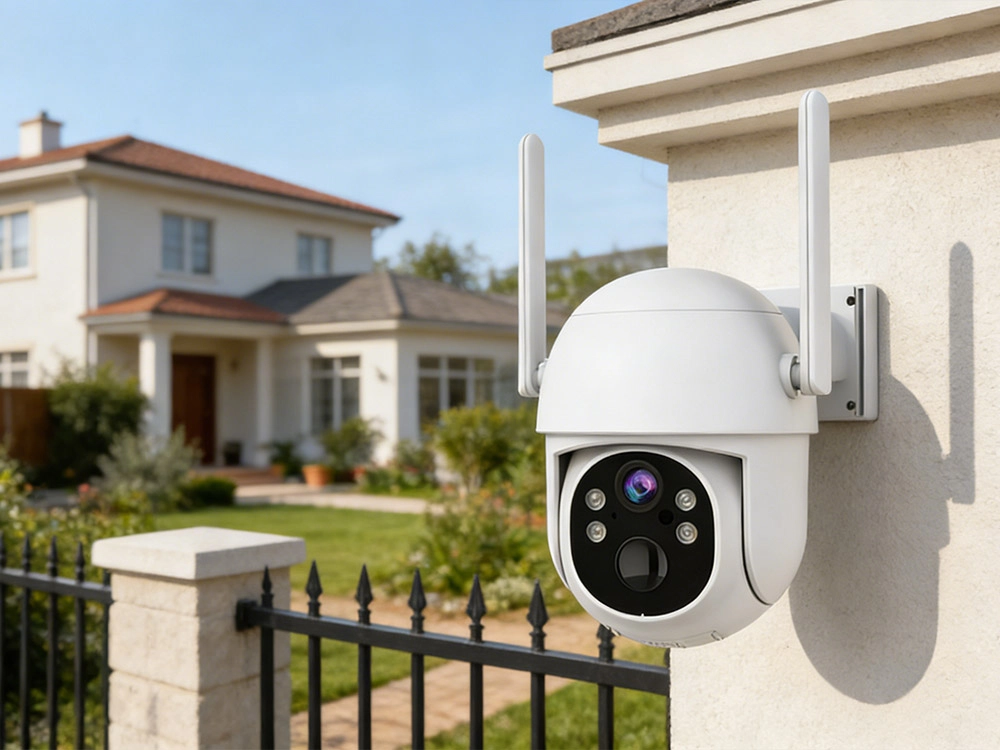
Wireless Camera vs Wi‑Fi Camera: Key Differences and How to Choose
FAQs
Where is Innotronik located and do you serve global markets?
What production facilities and quality systems does Innotronik have?
Does Innotronik have research and development capabilities?
What is Innotronik's core business?
How long has Innotronik been in the security camera industry?
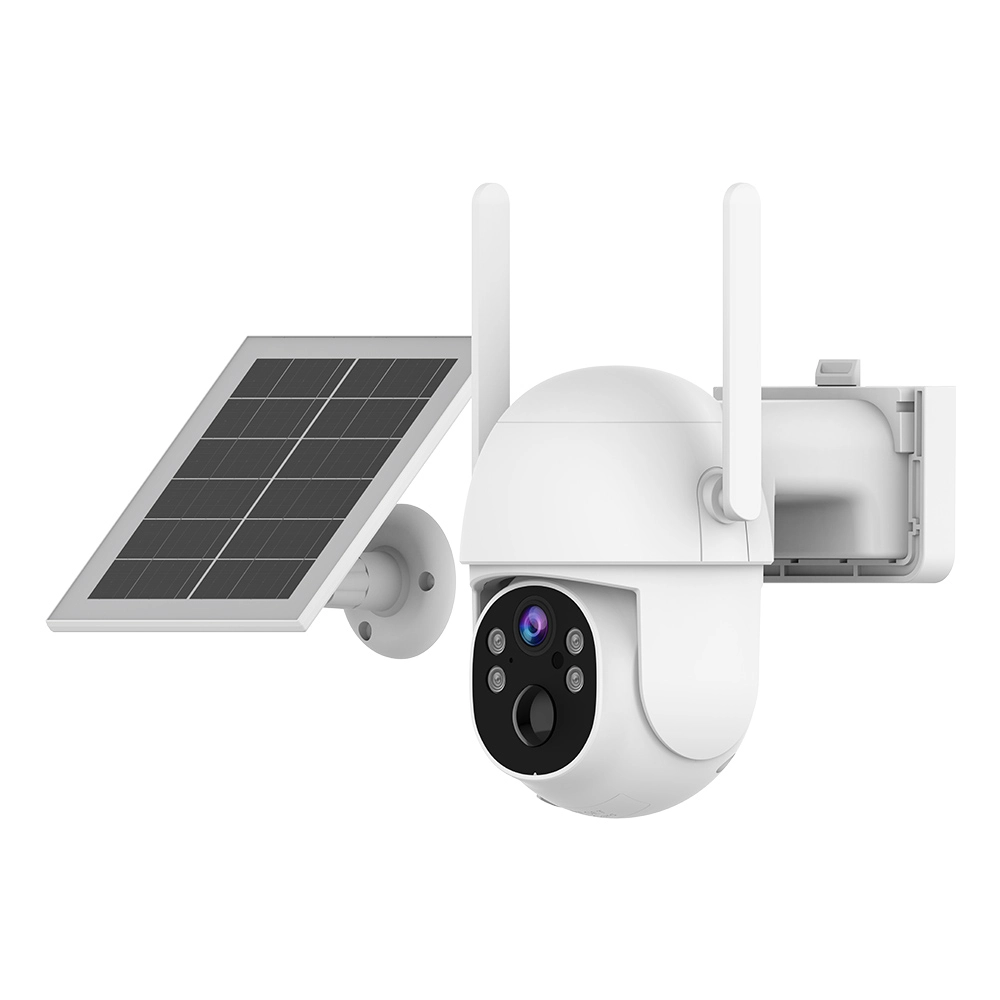
Experience unmatched security with Innotronik’s V-SIM Solar Camera-ITY-PT51-4MP. This 4G solar security camera offers seamless remote monitoring, easy installation, and eco-friendly power, ensuring reliable surveillance anywhere with crystal-clear 4MP video quality.
✦ 0-10m 120° PIR long-range standby trigger for faster startup
✦ 6000 mAh battery with 1-month standby (30 times/day)
✦ Automatic full-color alarm recording
✦ 4MP true pixels and a high-resolution lens for premium imaging
✦ 15m dual-light night vision for clear vision, even in the dark
✦ Supports human motion detection and accurate app alarm push
✦ Two-way real-time voice intercom for communication anytime, anywhere
✦ 128GB TF card storage for recording even without an internet connection; cloud storage for more secure recordings
✦ IP65 waterproof and dustproof for wind and rain resistance
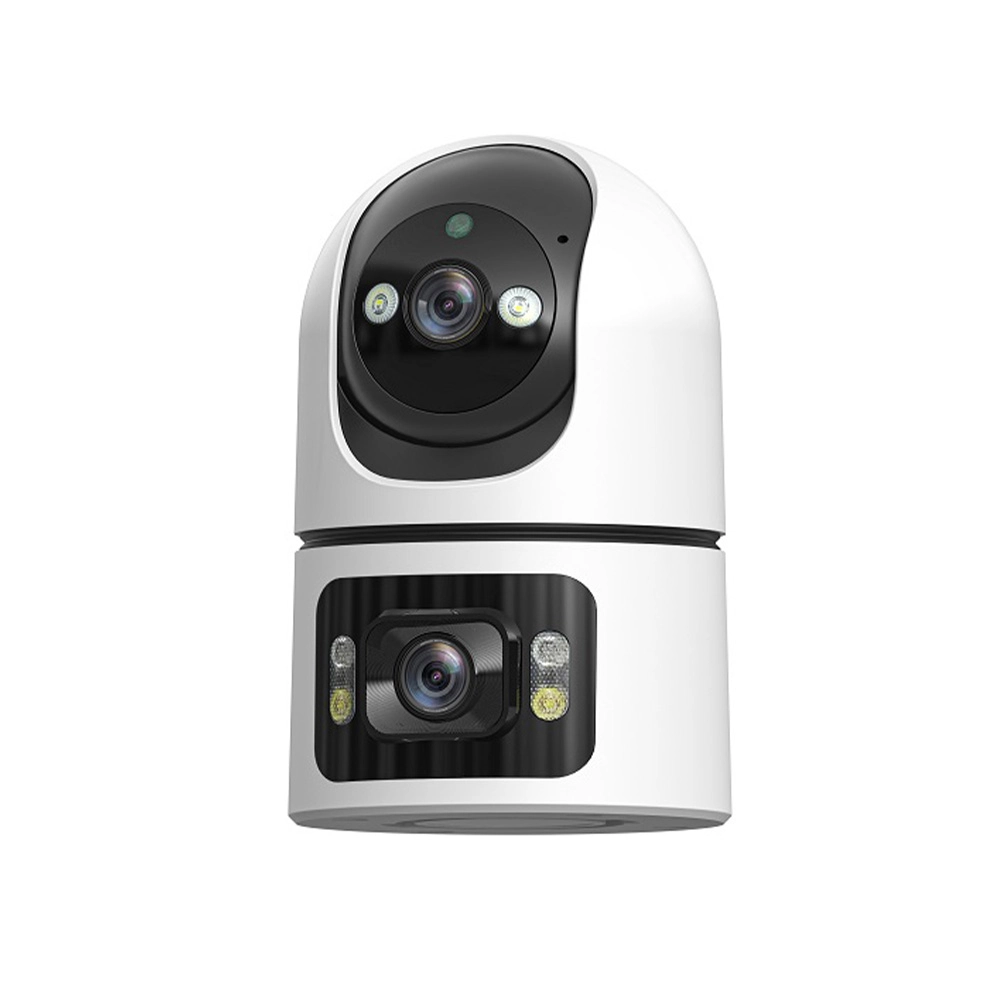
Innotronik’s Wifi Camera Indoor-ITY-PT30 (4MP) delivers clear 4MP video for secure indoor monitoring. This reliable indoor camera features easy Wi-Fi setup, motion detection, and night vision—perfect for home or office security. Enhance safety with Innotronik’s advanced indoor camera solution.
✦ 4MP Dual-Lens: High-resolution dual-lens system for superior image clarity.
✦ 360° PTZ View: 355° horizontal and 70° vertical rotation for full coverage.
✦ Dual Night Vision: 10 m range with infrared and full-color modes (12 LEDs).
✦ Tuya Smart App: Seamless integration for remote control and IoT management.
✦ Two-Way Audio: Built-in mic and speaker for real-time remote communication.
✦ Smart AI Alerts: Motion detection with instant mobile push and screenshots.
✦ H.265 Storage: Efficient compression supporting up to 128GB MicroSD and Cloud.
✦ Multi-User Share: Supports family sharing for up to 20 users simultaneously.
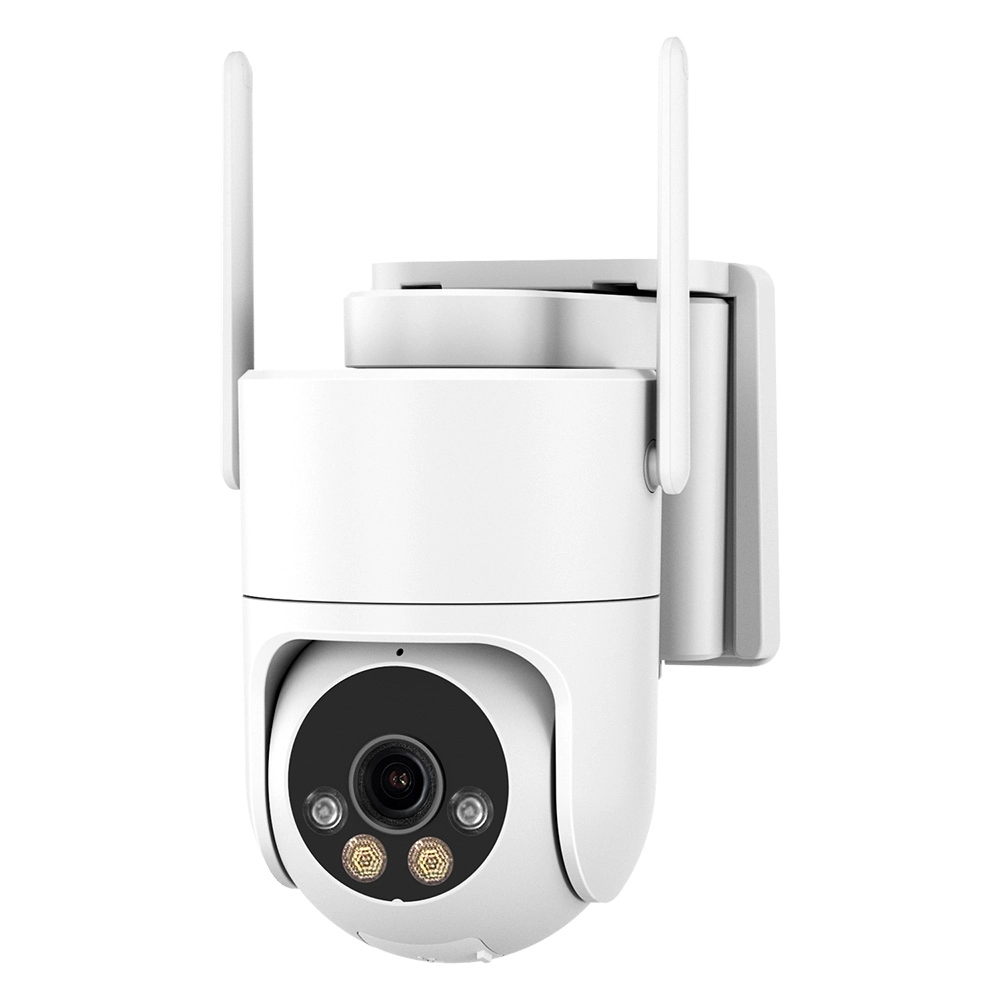
The Innotronik AOV Camera ICH-PT66-3MP delivers crisp, high-resolution 3MP imaging for advanced surveillance. Designed for reliable performance in diverse environments, this AOV camera ensures clear visuals and seamless monitoring. Ideal for comprehensive security solutions.
-
✦ 3MP AOV Camera for clear, low-power surveillance
-
✦ Smart human detection with adaptive frame rate
-
✦ 320° pan / 90° tilt wide-area coverage
-
✦ Battery & solar powered for long-term outdoor use
-
✦ IP66 waterproof with day & night monitoring
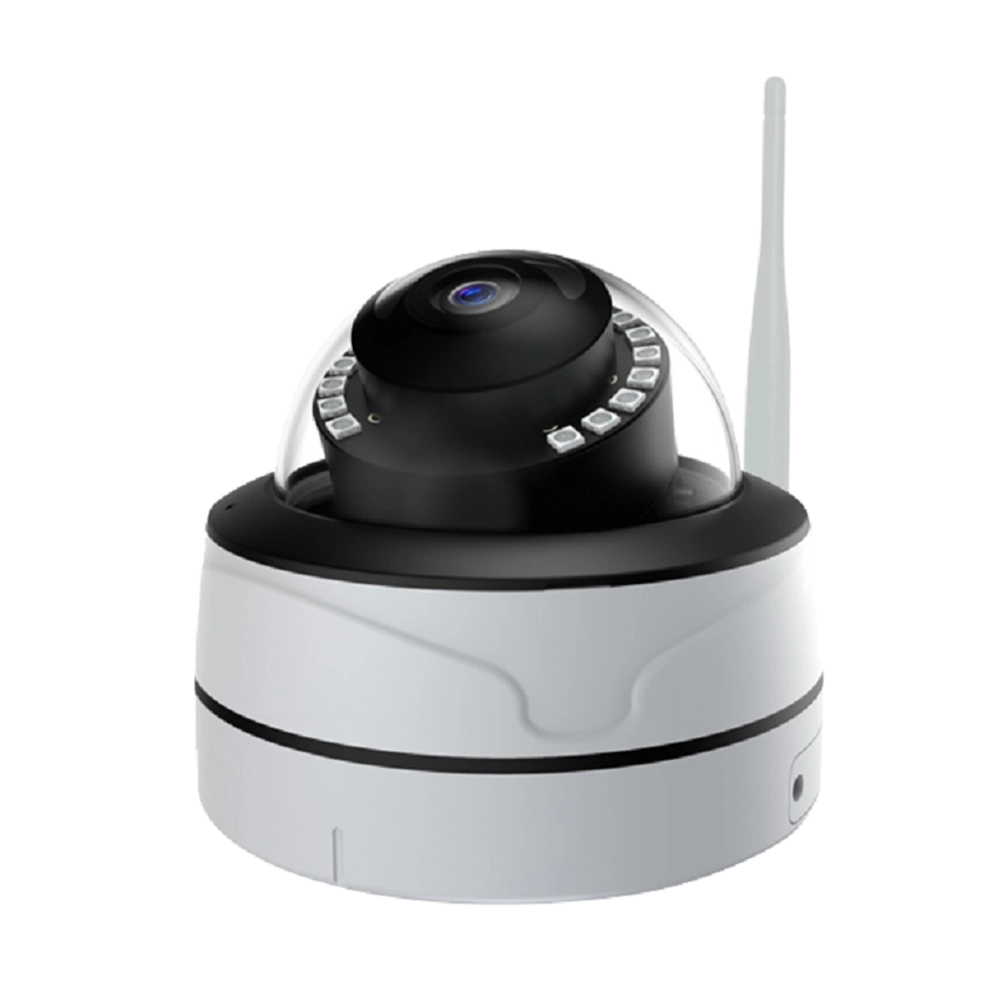
The Innotronik Wifi Camera Indoor-ITY-B32 (4MP) is a smart indoor camera delivering crystal-clear 4MP video. Designed for seamless home security, it offers real-time monitoring, motion detection, and easy WiFi setup. Enhance your indoor safety with Innotronik’s reliable smart camera.
✦ 4MP Ultra-HD: 2560 × 1440 resolution for superior clarity.
✦ Dual-Band WiFi: 2.4G/5G and Bluetooth for stable, fast connectivity.
✦ Smart Detection: Real-time human/motion alerts to your phone.
✦ Two-Way Audio: Built-in mic and speaker for easy communication.
✦ Night Vision: 12 LEDs provide clear imaging in total darkness.
✦ H.265 Coding: High-efficiency compression saves 50% storage space.
✦ Flexible Storage: Supports 128GB MicroSD, Cloud, and ONVIF.
✦ Durable Design: Reliable performance from -30°C to +60°C.

Get a Free Quote
Let's Talk.
Reach out to discuss OEM & ODM options, request a quote, or start your project with our expert team.



Aelen Tran
Innotronik Manager
Leave a message
Contact us


First Floor, 99-1 Donghuan Road, Zhucun, Tianhe District, Guangzhou City, Guangdong Province, China.
© 2026 Innotronik. All Rights Reserved.